See every agent at work.
AI agents are usually a black box: a prompt goes in, an answer comes out, and nobody can say what happened in between. The Wind Shield shows the whole chain — sources, Fleet Command, the specialists, Door 2, the SOC, the gate, the actions — and every event travelling it. Here it draws a simulated fleet so you can touch it: drag to orbit, tap a container to open its graph. In the Driver Seat it draws your fleet, live.
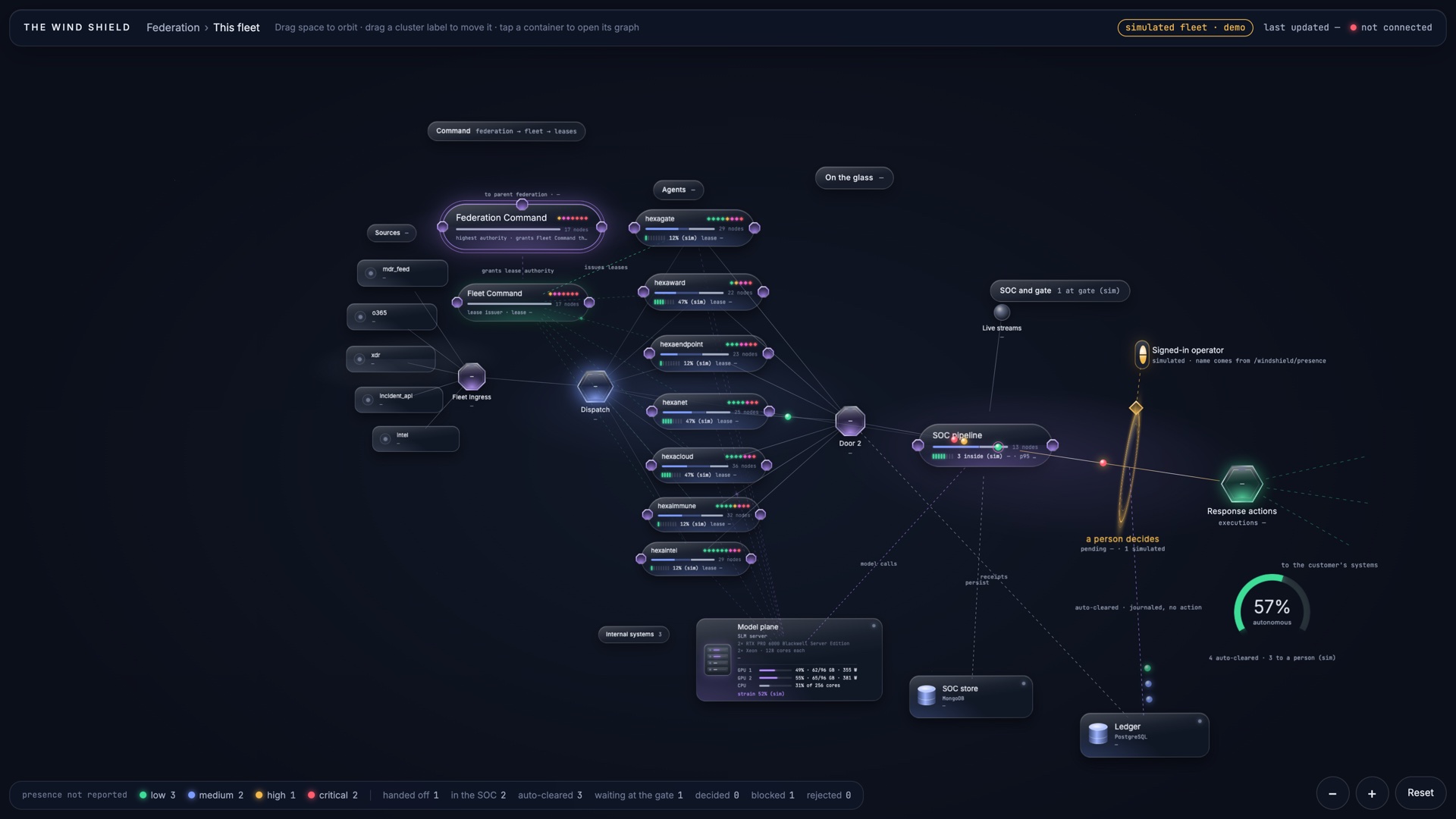
A simulated fleet with simulated events — a demo, on this public site by design. Behind the login the same view draws your fleet live and shows problems as they are: a refused lease is red, a stalled source says so, late work stays red.
Open full screen ↗From the boardroom to one decision.
The same view serves the board, the operator, the engineer and the auditor — each at their own distance.
Nothing on the glass is assumed.
Hardware is reported by the GPU guard, not declared. Leases and grants come from the snapshot's own edges and are coloured by their real status. A refused grant is drawn red, with the parent's reason.
Problems are shown, never hidden.
Late work stays red. A source that stopped polling says so. A fleet in Manual mode shows 0 % autonomy and every action waiting for a person — because that is what is true.
Not only HexaBox agents.
The Wind Shield draws a fleet from its snapshot. Agents placed under the HexaBox contract — whoever built them — appear on the same glass with the same honesty.
Book a tour of the running fleet.
Twenty minutes, your screen: the Wind Shield on live data, the Driver Seat, The Brain, and the record behind them.